Keep Your Garage Secure: A Practical Guide to Wireless Door Monitors for Sacramento Homes
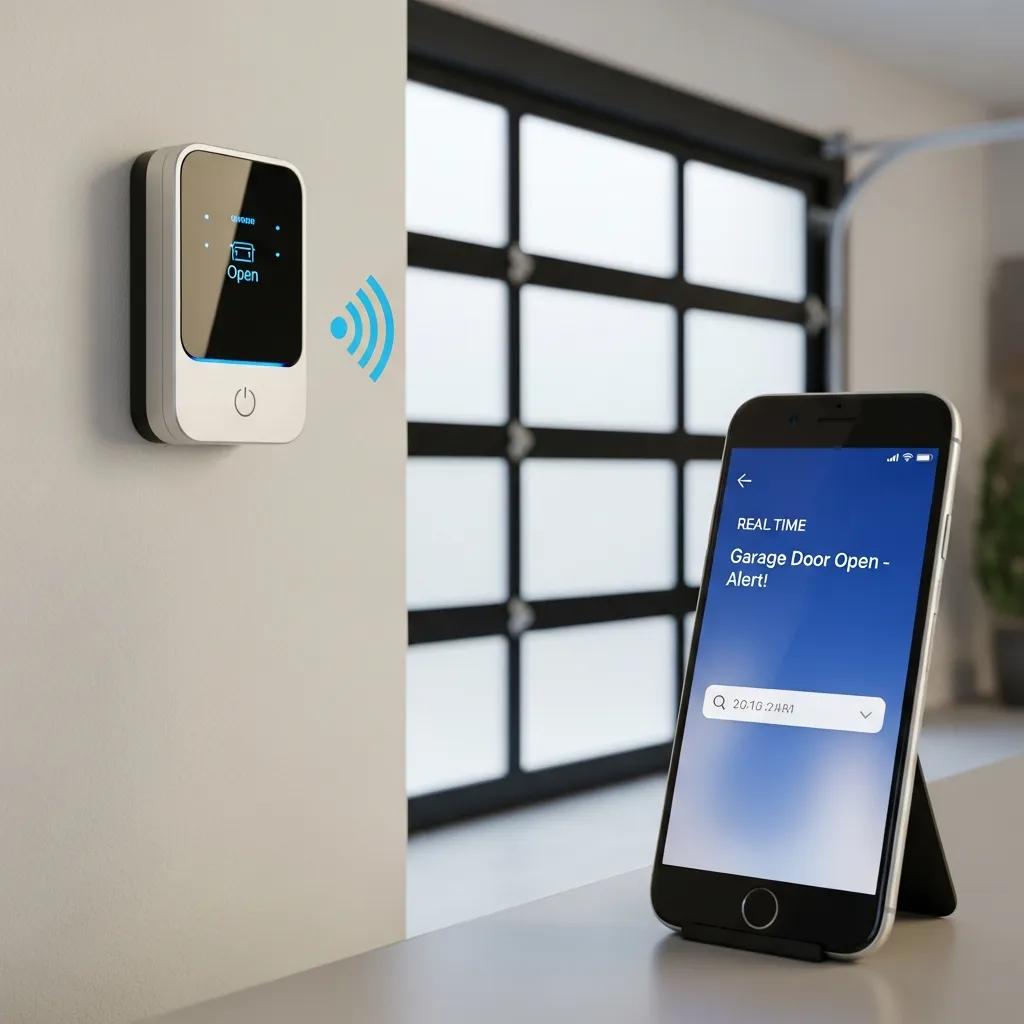
Wireless garage door monitors are small sensor systems that tell you—right on your phone or smart hub—whether a garage door is open or closed. They add a layer of home security by alerting you to unexpected activity. This guide walks through how these monitors work, compares common sensor types, and explains how connectivity, encryption, and rolling codes help prevent tampering. Homeowners in Sacramento and nearby neighborhoods get real-time status alerts, remote control, and professional integration options that cut down on false alarms and exposure to opportunistic break-ins. Below you’ll find practical checks for compatibility, installation tips, and the features we recommend prioritizing when shopping for a monitor. We also review leading brands and show how to integrate monitors with existing openers—or when a pro install makes sense. Throughout, useful search terms like wireless garage door monitors, smart garage door opener compatibility, and garage door status alerts smartphone appear naturally to help you evaluate options and plan a secure, automated garage setup.
What Are Wireless Garage Door Monitors and How Do They Work?
Wireless garage door monitors detect and report a door’s position or movement, then send that information wirelessly to a hub or a smartphone app. They do this in a few common ways: sensing tilt (orientation), using a magnetic contact switch (physical contact), or reading the opener’s internal state when integrated with a smart opener. The sensors communicate over Wi‑Fi or a proprietary radio to a gateway or cloud service, which then pushes alerts to your device. The end result is immediate visibility of door status, basic tamper detection, and a log of events you can review later. Knowing the detection method and the connectivity path helps you pick a monitor that fits your garage layout and signal environment. Below is a simple comparison to clarify detection methods, connectivity, and typical use cases.
Different sensor types suit different doors and installation limits; this table lays out the main traits and best applications.
| Sensor Type | Detection Method | Connectivity | Ideal Use-Case |
|---|---|---|---|
| Tilt sensor | Measures door angle or orientation | Bluetooth / Zigbee / Proprietary radio | Detached doors or non-metal surfaces where alignment is tricky |
| Contact sensor | Magnetic reed switch registers closed position | Zigbee / Z‑Wave / Wi‑Fi via hub | Standard sectional doors with metal frames and straightforward mounts |
| Smart opener integration | Reads the opener’s internal state or receiver signal | Wi‑Fi / Proprietary cloud API | Newer openers with smart modules or built-in remote features |
In short: tilt sensors work well where angle is the clearest indicator, contact sensors shine when physical closure is reliable, and smart opener integration is the cleanest option when your opener supports it. Your choice depends on door build, signal reliability, and whether you want a hubless Wi‑Fi setup or a hub-based system.
Types of Wireless Garage Door Sensors: Tilt, Contact, and Smart Openers
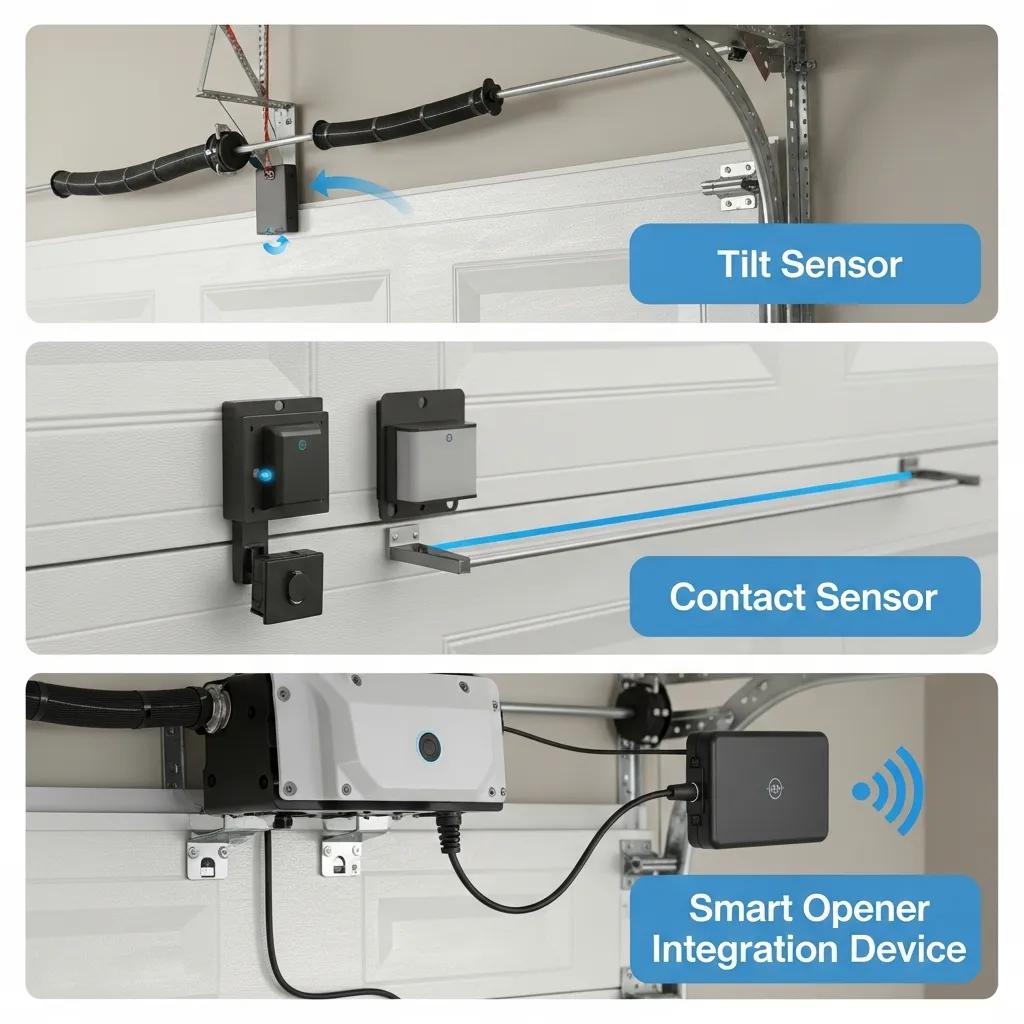
Tilt sensors detect the door’s angle and report when it moves from its resting position. They’re compact, usually battery powered, and avoid issues with magnetic alignment—handy when frame geometry makes contact mounts difficult. Contact sensors use a magnet and reed switch to mark open versus closed; they’re simple, reliable, and cost-effective when you can mount them securely. Smart opener integration taps into the opener’s control logic or cloud API and delivers the most detailed reporting and remote control when supported. Choose based on door design, how much maintenance you want, and whether you prefer direct app control from the opener or a separate sensor.
Technology Behind Wireless Monitoring: Connectivity and Alerts
How a monitor connects affects reliability and alert speed. Options include direct Wi‑Fi, Bluetooth with a gateway, or low‑power proprietary radio that talks to a hub. Wi‑Fi devices are easy to set up but need solid local coverage; hub systems extend range and bridge protocols for broader smart home compatibility. Alerts typically flow sensor → hub/gateway → cloud → smartphone app or local notification, and each step can add a bit of latency—so check real‑world performance when you compare products. Security measures like rolling codes for control signals and end‑to‑end encryption for telemetry help guard against replay attacks and spoofing. Understanding the layers—sensor, transmission, gateway, cloud, and app—lets you balance immediacy, reliability, and security for your home.
What Are the Key Benefits of Using Smart Garage Door Security Systems?
Smart garage door systems bring timely alerts, remote control, and automation that together cut down on unauthorized access and the inconvenience of manual checks. They log open/close events, let you close a door you forgot, and can work with home automation rules to secure your home when you’re away. For many homeowners that means less worry, fewer missed deliveries, and stronger property protection. Below are the primary benefits and how a local pro can turn features into a dependable, long‑term setup.
Smart garage door systems offer several clear benefits:
- Immediate Security Alerts: Instant notifications when the garage opens, closes, or shows signs of tampering so you can act fast.
- Remote Access and Control: Open or close the garage from your phone for guests, deliveries, or to check on your home after you leave.
- Automation and Scheduling: Use geofencing or nightly close routines to reduce the chance a door stays open.
- Event Logging and Evidence: Keep a history of door activity that’s useful for security reviews or insurance claims.
Each of these features lowers daily friction and improves readiness when you travel or receive deliveries. The next section explains why remote monitoring is especially useful for Sacramento homeowners.
How Remote Monitoring Enhances Sacramento Homeowners' Security
Remote monitoring is especially handy in Sacramento’s mix of neighborhoods. Whether you’re at work or out of town, you can confirm deliveries, let a contractor in without sharing permanent codes, or close a door left open after an errand. In tighter neighborhoods, quick alerts shrink the window an opportunistic thief has to act. Remote door monitoring also works alongside motion cameras, lighting, and alarm systems to reduce false alarms and improve response. In short, it’s an effective layer in a broader home security plan.
Convenience and Peace of Mind With Real-Time Garage Door Alerts
Real‑time alerts spare you from checking the garage repeatedly and let you fix problems immediately—reducing stress and stopping small issues from becoming big ones. You can customize who gets notified, silence alerts during set hours, or escalate notifications for tamper events that suggest forced entry. Best practices include separating alert levels for open/close versus tamper warnings and testing notifications after installation to confirm reliable delivery. Pair alerts with automations—like auto‑close after a set time—to turn occasional oversight into consistent, automated protection.
How Does Professional Installation Improve Wireless Garage Door Monitor Performance?
Professional installation helps get sensor placement right, ensures correct pairing with openers or hubs, and verifies signal strength—steps that reduce false positives and improve long‑term reliability. Trained technicians check compatibility, mount sensors where they won’t suffer vibration or water damage, and test real‑world operation across multiple cycles. Pros also manage tricky integrations with older or proprietary openers, and they provide a support path if issues crop up. The sections below describe what to expect from a professional service and why it usually outperforms a DIY attempt.
What to Expect From Overhead Door Company of Sacramento's Installation Service
Overhead Door Company of Sacramento is an authorized Overhead Door™ distributor with technicians trained in garage door sales, service, and smart integrations for homes and businesses. Typical installation starts with a pre‑job assessment to confirm sensor compatibility with your opener and garage layout. Technicians professionally mount sensors, pair them to hubs or openers, and run functional tests for open/close status, tamper detection, and notification delivery. They finish with a walkthrough that shows how the smartphone app works, how to set notifications, and basic troubleshooting—always emphasizing safety and correct operation. Our local knowledge helps homeowners get a ready‑to‑use system that needs fewer adjustments down the road.
Why Choose Professional Integration Over DIY for Smart Garage Systems
Professional integration lowers the risk of misaligned sensors, poor mounts, or compatibility mistakes that cause intermittent alerts or void warranties. DIY installs can miss signal issues—metal interference, weak Wi‑Fi, or poor hub placement—that pros anticipate and fix with strategic placement or different hardware. Installers also ensure rolling codes and encryption are set up correctly to resist tampering. Plus, professional support gives you a clear path for updates, service, and future automation upgrades—support many DIY setups don’t include.
Which Features Should You Look for in a Wireless Garage Door Security System?
Picking the right features makes the system useful and reliable. Look for accurate status reporting, strong connectivity, security features like rolling codes, and long battery life to reduce maintenance. Advanced options—tamper detection, multi‑user controls, and cloud event logging—add flexibility and useful records. The table below ties common features to the value they deliver so you can prioritize what matters for your home.
| Feature | Why it matters | User Benefit |
|---|---|---|
| Remote access | Control the door from anywhere | Convenience for guests and deliveries |
| Push alerts | Immediate notice of state changes | Faster response to unauthorized access |
| Rolling code support | Stops replay attacks on remotes | Stronger security for wireless commands |
| Tamper detection | Flags forced entry attempts | Early warning about suspicious activity |
| Long battery life | Fewer battery replacements | Lower upkeep and fewer service visits |
This feature mapping shows rolling codes and tamper detection reduce security risk, while remote access and alerts focus on convenience and awareness. Next we outline the technical checks and secure features you should expect.
Essential Features: Remote Access, Alerts, and Smart Home Compatibility
When comparing products, confirm remote access is authenticated and dependable, alerts reach your device quickly, and the system works with the smart‑home platforms you already use. Read app reviews for notification reliability and check whether a hub is required for multi‑protocol support. Test that the monitor reports both open and closed states accurately in normal conditions and that you can set up multiple, secure user profiles. Getting these basics right makes the monitor truly useful day to day.
Security Enhancements: Rolling Code Technology and Encryption
Rolling code technology changes the control code each time a command is sent, preventing attackers from replaying recorded signals. Encryption protects telemetry between the device and cloud to stop interception. Look for explicit mention of rolling codes for remote commands and TLS or similar encryption for cloud traffic, and ask your installer to confirm secure features are enabled during setup. Verifying these protections helps prevent remote compromise and makes it harder to spoof status updates.
If you prefer professional sourcing and installation, Overhead Door Company of Sacramento can recommend compatible smart devices, install them securely, and discuss financing to spread costs while keeping safety and compatibility top of mind.
How Can You Integrate Wireless Monitors With Existing Garage Door Openers?
Integrating monitors means checking your opener model, confirming receiver or accessory ports, and following a clear pairing process. Done correctly, integration gives seamless remote status and control without affecting safety features. Start by finding your opener model and seeing if it supports third‑party sensors or needs brand‑specific modules. Then decide whether you’ll use a hub, direct Wi‑Fi, or a cloud API and plan for reliable signal coverage. The brand notes and steps below offer a practical roadmap.
Compatibility With Popular Brands: Overhead Door™, MyQ, Meross, Genie
Compatibility varies by brand. Some openers offer a dry‑contact or accessory terminal for sensor integration; others use proprietary modules or cloud APIs that work best with same‑brand devices. Overhead Door™ openers typically pair well with authorized modules and installer workflows. MyQ offers both hardware and cloud options. Meross and Genie are common retrofit choices but may need firmware updates or adapters. Common issues include firmware mismatch, required accessory modules, or the need for a hub when a device uses Zigbee/Z‑Wave instead of Wi‑Fi. When unsure, check compatibility lists and have an installer confirm that your chosen monitor won’t interfere with built‑in safety sensors.
Steps to Seamless Smart Home Integration and Automation
Use this checklist to pair sensors, connect hubs, and create reliable automations. Following these steps reduces errors and keeps operation safe.
- Verify Opener Model and Accessory Ports: Find your opener model and confirm accessory terminal or module compatibility.
- Select Sensor Type: Choose tilt, contact, or smart‑opener integration based on door shape and access needs.
- Plan Network/Hub Placement: Make sure Wi‑Fi or hub signal is strong where the sensors and opener live.
- Install and Securely Mount Sensors: Mount per manufacturer guidance to avoid vibration or water exposure.
- Pair and Test: Pair sensors to the hub or opener, then run multiple open/close cycles to check alerts and logging.
- Configure Notifications and Automations: Set alert levels, auto‑close timers, and user permissions.
- Validate Safety Features: Confirm safety sensors and manual overrides still work after integration.
Complete these steps to lower the risk of integration failures and keep automations predictable. If you run into firmware or adapter problems, professional help is recommended to avoid safety or warranty issues.
What Are the Top Wireless Garage Door Monitor Brands and Products in 2026?
In 2026 the market includes hubless Wi‑Fi controllers, hub‑based sensor suites, and brand modules that favor either simplicity or deep platform integration. Different brands focus on different strengths—cloud control and integrations, low‑power local reliability, or budget‑friendly Wi‑Fi retrofits. The short profiles below summarize each brand’s position and typical use cases to help you pick what fits your needs.
Overview of Leading Brands: MyQ, iSmartgate, Meross, Genie
- MyQ: Designed for direct opener integration and wide cloud features—good for owners who want brand‑level remote control and partner integrations.
- iSmartgate: Retrofit controllers that combine camera and sensor data—best when you want video and door status in one unit.
- Meross: Affordable Wi‑Fi devices and sensors that work well without a hub—good for simple, budget‑friendly installs.
- Genie: Longstanding opener maker with smart modules that favor Genie hardware and authorized installers.
Each brand has strengths: choose MyQ or Genie for out‑of‑the‑box opener synergy, iSmartgate for combined camera and status features, and Meross for cost‑effective Wi‑Fi retrofits. Consider firmware support and company longevity so your system keeps receiving updates and stays compatible over time.
| Product / Brand | Key Specs | Compatibility / Notes |
|---|---|---|
| MyQ modules | Cloud API, mobile alerts | Best with supported openers; strong partner integrations |
| iSmartgate controller | Camera + sensor fusion | Ideal for retrofits needing video and status in one device |
| Meross sensors | Wi‑Fi, budget pricing | Good for hubless installs; verify signal strength |
| Genie smart modules | Opener‑level integration | Preferable for Genie openers and authorized installers |
How to Choose the Right Brand for Your Garage Security Needs
Use this simple flow to pick a brand: identify your opener and priority features, check product compatibility, compare reliability and support, then decide if you’ll DIY or hire a pro. Put compatibility and security first, then look at app usability and long‑term firmware support. If you plan a pro install, confirm local distributors and trained technicians can source and install the product. Overhead Door Company of Sacramento can help recommend compatible devices, provide certified installation, and discuss financing to fit your budget.
- Assess needs: Security vs. convenience vs. video integration.
- Check compatibility: Opener model and communication protocol.
- Compare support: Local installer availability and firmware updates.
- Decide installation path: DIY for simple Wi‑Fi retrofits; pro install for fully integrated systems.
Following this flow helps you select a system that matches both the technical limits of your garage and the level of service you want.
For local, reliable installation and help choosing compatible monitors, contact Overhead Door Company of Sacramento to request a quote or schedule a consultation. As an authorized Overhead Door™ distributor with trained technicians, we can source compatible equipment, integrate smart tech safely, and offer financing if needed.
Frequently Asked Questions
1. How do I know if my garage door opener is compatible with a wireless monitor?
Find your opener model and read the manufacturer’s specs. Many modern openers have accessory terminals or support third‑party sensors; others require brand‑specific modules. Check compatibility lists from the monitor maker and, when in doubt, ask a professional installer to confirm. Verifying compatibility prevents problems with function or safety after installation.
2. What should I do if my wireless garage door monitor is not sending alerts?
First check the sensor power or battery level. Make sure the device is connected to your Wi‑Fi or to the hub. Confirm alert settings in the app are turned on. If it still won’t send alerts, try a device reset or consult the manual for troubleshooting. If problems continue, a trained technician can diagnose network or hardware issues.
3. Can I integrate multiple wireless garage door monitors into my smart home system?
Yes. Most systems support multiple monitors as long as they’re compatible with your smart‑home platform. Ensure your hub or app allows multiple devices and check any limits on the number of sensors. Adding multiple monitors helps you keep track of several entry points and improves overall home security.
4. What maintenance is required for wireless garage door monitors?
Maintenance usually means checking battery levels, keeping sensors clean and clear of obstructions, and testing the system periodically to make sure alerts arrive. Keep firmware up to date to get security fixes and new features. If you see delayed alerts or connection problems, have a pro inspect the installation.
5. Are there any security risks associated with using wireless garage door monitors?
Wireless monitors increase security, but they can pose risks if not secured properly. Weak passwords or unencrypted communications can be exploited. Reduce risk by choosing devices with rolling code support and end‑to‑end encryption, updating passwords and firmware regularly, and considering a separate network for smart devices. These steps significantly lower the chance of tampering or hacking.
6. How can I customize alerts for my wireless garage door monitor?
Most monitors include a companion app where you can customize alerts. You can set instant notifications for openings, closings, or tamper events, silence alerts during specific times, or give different users different alert levels. Check the app’s settings after installation to tailor notifications to your routine.
7. What are the advantages of using a professional installation service for my wireless monitor?
Professional installation offers expert sensor placement, optimized signal strength, and guaranteed compatibility with your existing system. Technicians handle complex integrations and troubleshoot setup issues, which reduces the chance of installation mistakes. Professional services also usually include ongoing support and maintenance options for lasting peace of mind.
Conclusion
Adding wireless garage door monitors is a practical way to boost home security with real‑time alerts, remote control, and helpful automations. These systems improve awareness and fit into many smart home setups to make daily life easier. Ready to secure your garage? Explore our recommended monitors and professional installation services, or contact Overhead Door Company of Sacramento today to find the right solution for your home.